Loading...
Iwannabepro Iwannabepro
DEATHRUN
SERVER STATUS
English
Sign in Connect to server
Home Readiness Server Status ZombieChangelog Ranking Runs Top Jumps Overwatch Records Runpedia
CS 1.6 · OPEN BETA

Master Your Movement.

Movement · Records · Progression
A movement-focused DeathRun experience built around records, FPS categories and progression. Master Simplified, Speedrun, Evolution, KZ and Fun modes, while independent TT events such as Zombie run alongside the main time-trial gameplay.
DeathRun Simplified Speedrun Evolution KZ Fun Zombie
Connect to server
Status CHECKING...
Current map
—
Online
Website · signed inNo data
Website · guestsNo data
CS 1.6No data
TeamSpeak 3No data
DiscordNo data
Runs —
Runners —
Latest Runs Recent server activity
ELO Leaders Competitive ELO leaderboard
Community Chat
LOADING
Loading chat...
0/300
Active Players LOADING...
Active now
Loading...
Recently active
Loading...
Server players 24H · UNIQUE PLAYERS
Collecting the first server readings...
Hall of VIP LOADING...
Loading VIP players...
Runs per Mode
Loading chart...
DeathRun + Speedrun · CS 1.6

Join the
closed beta

The server is currently in closed testing. Submit your Steam ID to get on the waiting list — access is granted manually by an admin.

Map readiness —%
Plugins active —/25
—
Approved
—
Pending
—
Total requests
Admin Panel
Loading...
Submit request
Format: STEAM_0:0:XXXXXXXX or STEAM_0:1:XXXXXXXX · Requires manual approval by an admin
How it works
01
Submit your Steam ID
Enter your Steam ID in the form. You can find it in your CS 1.6 console by typing status.
02
Wait for approval
An admin reviews all requests manually. Check this page to see if your ID appears in the approved list below.
03
Connect to the server
Once approved, connect to iwannabepro.com and start playing.
Approved accounts
Steam IDNicknameStatusDate
Loading...
Server readiness
—
Active
—
Spawns
—
Route Guard
—
Start zone
—
Finish zone
Fully configured maps —%
Map list
Map name Active Spawns Route Guard Start zone Finish zone
Loading...
Server plugins
PluginVersionStatus
Loading...
Game Server
Addressiwannabepro.com
Map—
Players—
Uptime—
CPU—
RAM—
Services
Server—
Website—
Rec System—
Overwatch—
Anti-Cheat—
REC System
Last recorded run—
Last analysed run—
Telemetry—
Replays—
Anti-Cheat
Scanned runs—
Registered players—
Banned players—
Active bans—
RECENT SERVER ACTIVITY

Latest Runs

The latest 333 recorded runs, ordered from newest to oldest.

Run FeedMaps, times and movement statistics
Player Map Time Category FPS Jumps Strafes Speed Sync DetailsDate
RECENT MOVEMENT STATS

Latest Jumps

The latest 333 recorded jumps, ordered from newest to oldest.

Jump FeedDistance, speed and strafe statistics
PlayerTypeDistance PrestrafeMax speedStrafes SyncDucksWeaponDate
COMMUNITY REVIEW

Overwatch

Review reported runs, inspect the replay and help keep the rankings fair.

0Pending
0Resolved
Review queue RUNS REPORTED BY PLAYERS
ResultMapPlayer EvidenceStatus

Loading cases…

MOVEMENT LEADERBOARDS

Top Jumps

Explore the longest recorded jumps. One personal best per player.

Long Jump leaderboardDistance, speed and strafe statistics
#PlayerDistancePrestrafeMax speed StrafesSyncDucksWeaponDate
PLAYER LEADERBOARD

Ranking

Compare competitive ELO, season points and player level.

Loading players…
ELO Leaders Competitive rating
#PLAYERLEVELPROGRESS RUNSAVG SYNCELO
Points & Leagues Earn Points. Climb the Leagues.
Earn Points by completing maps and competing for Top 10 positions. Completion Points are permanent, while Top 10 bonuses change dynamically based on your current ranking position.
Completion Points
Mode Fixed FPS Unlimited Notes
Simplified+2+112 slots per map
Speedrun+3+212 slots per map
Evolution+4+312 slots per map
KZ+8—1 slot, FPS independent
Fun+1—1 slot, FPS independent
Fixed FPS slots: 100 / 200 / 333 / 400 / 500 / 600 / 666 / 700 / 800 / 900 / 999 plus a separate Unlimited slot. TT modes are not included in the Points system.
Top 10 Bonus
# Fun Simplified Speedrun Evolution KZ
#1+3+6+9+12+18
#2+3+5+7+10+15
#3+2+4+6+8+12
#4+2+3+5+7+10
#5+2+3+4+6+8
#6+1+2+3+5+6
#7+1+2+3+4+5
#8+1+1+2+3+4
#9+1+1+2+2+3
#10+1+1+1+1+2
Unlimited uses a reduced ranking bonus compared with fixed FPS: Simplified #1 +5, Speedrun #1 +7, Evolution #1 +9.
Leagues
GREY
0 – 9 999
LIGHT BLUE
10 000 – 24 999
BLUE
25 000 – 49 999
PURPLE
50 000 – 89 999
PINK
90 000 – 149 999
RED
150 000 – 249 999
GOLD
250 000+
Example: Completing Evolution at 333 FPS awards 4 Points. Holding the #1 position adds a 12 Point bonus, giving you 16 Points for that slot. If you drop to #2, the bonus changes to 10 Points. Outside the Top 10, you keep your permanent 4 Completion Points.
UPDATE HISTORY

Changelog

Updates across the entire server.

07.10.2026

Server · new Zombie equipment, stats and maps

OPEN BETA

New ways to defend and chase in Zombie, an in-game jump leaderboard and more maps to play. New Zombie equipment is available for testing.

Zombie

  • Added a knockback grenade for survivors, available four times per round.
  • Added a grenade that freezes opponents for 3 seconds, available to both sides.
  • Added single-use mines that launch zombies away and laser mines that knock them back and reduce their health.
  • Added an experimental plasma weapon for survivors.
  • Zombies can use the E key to pull survivors towards them for 3 seconds.
  • /impact and /normal switch grenades between impact detonation and the normal fuse.
  • Fixed antidote grenades and increased the knockback grenade radius.
  • Fixed weapons and the Invis effect carrying over when switching to Zombie.

Stats and leaderboards

  • Added /jumps — an in-game jump leaderboard with jump type selection and your personal best.
  • Added /top as a shortcut to /top15.
  • Expanded jump stats with individual strafe results, FOG and JOF. Their visibility can be adjusted in HUD settings.
  • Updated the spectator HUD to show the watched player’s keys, speed, time and FPS.
  • Added /fps for quicker FPS category selection.
  • Fixed 999 FPS classification: small fluctuations up to 1002 FPS no longer move the result to Unlimited.
  • Restored the previous nightvision brightness switching behavior.

Maps and downloads

  • Added Route Guard support on some maps and expanded the rotation from 16 to 54 maps — 38 additional routes.
  • Enabled automatic FastDL updates for new maps, models and sounds.
2026-10-07

Season 1 · migration data and archive replays

OPEN BETA

Completed historical Season 1 data after migration and made archive replays available on run pages.

  • Restored 6473 missing runs with telemetry and 473 player profiles.
  • Restored the historical exclusion of 46 743 runs from official competition, including runs involving cheats or originating from other seasons.
  • Recovered missing EXP from restored runs: 92 400 EXP for 120 players. Recalculated their corresponding levels.
  • Recalculated Season 1 points and standings after data recovery. Fixed the exclusion of disqualified runs from records.
  • Enabled replays without saved Route Guard analysis and comparison with the current route model for some historical runs.
  • Linked 73 035 archive replays to migrated results.
2026-10-06

Website · five new languages

OPEN BETA

The website is now available in seven languages.

Added

  • Added German, Ukrainian, Romanian, Russian and Czech pages.
  • Expanded language selection with flags and native language names. Switching preserves the current page and filters.

Fixed

  • Aligned the appearance and behavior of the main menu across the new language versions.
  • Shared-link previews use the page banner, or the logo when no banner is available. Updated Zombie and individual Top Jumps previews.
2026-10-06

Server · movement fixes

OPEN BETA

Improved launch pads and damage handling on maps.

Fixed

  • Restored map launch pads.
  • Fixed an issue where players could survive lethal damage and remain outside the route.
  • Improved zone contact detection when falling below the start.

Added

  • Added a return-to-start zone to the map editor, detecting body contact including feet.
2026-10-05

Maps · recovered zones

OPEN BETA

More maps with properly defined start and finish zones.

Added

  • Restored missing start and finish zones on older maps.

Changed

  • Admins now have a panel for map rotation, zone readiness, Route Learn and difficulty ratings.
2026-10-05

Website · languages and navigation

OPEN BETA

A smoother experience in Polish and English.

Added

  • Polish and English pages, language selection in the header and footer, and a browser-language suggestion.

Fixed

  • Switching languages preserves the current page and filters. Sign-in return links were improved.
2026-10-05

JumpStats · jumps in chat

OPEN BETA

Show off your Long Jump and compare your result with other players.

Added

  • Jumps such as Long Jump can now be announced in chat for players with a linked Discord account, even without Premium.

Changed

  • Announcements require the relevant jump thresholds. Their display can be adjusted through /dwstats.
5 OCTOBER 2026

Added Zombie mode

OPEN BETA

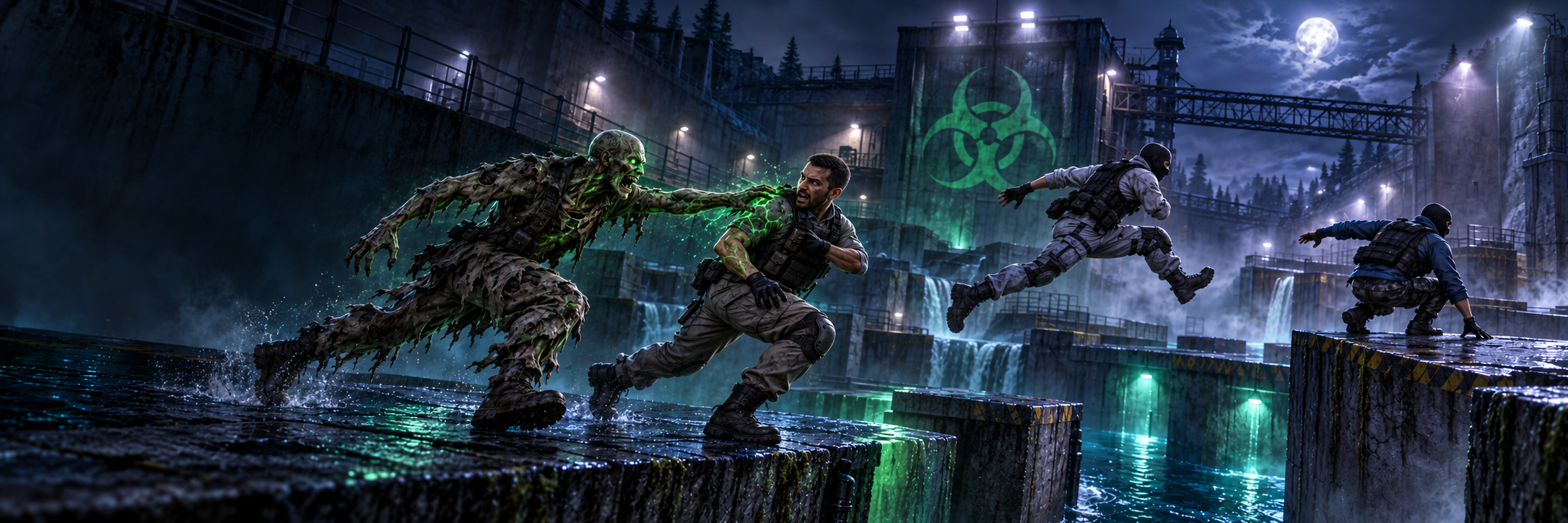
A new TT mode: escape the zombies or join the chase.

Added

  • Zombie chases for TT with a four-second head start for runners, a three-minute round limit and finish detection.
  • Infection and elimination variants, with rules selected by TT players.
  • The /zvote command to change the preferred variant. Each player’s choice is remembered for the current map.
  • Zombie models, personal lighting, music, and infection, countdown and victory sounds.
  • Infection grenades and antidotes with custom models and coloured trails in the infection variant.
  • A HUD showing the player’s role, variant, AutoBH setting, remaining time, and counts of runners, zombies and escaped players.
  • Chat round summaries with participant counts, duration, successful escapes, infections and cures or eliminations. Knife and grenade infections are included.
  • Highlights for the top hunter and the first player to finish, including their time. The post-round HUD shows the winning side and the countdown to the next chase.

Changed

  • The first zombie is selected from players who have not held the role in the current cycle. Two regular participants alternate; new players join the selection pool.
  • Before each round, current TT players’ preferences determine the variant. Rules stay unchanged during the chase; ties retain the current variant, with infection used initially.
  • After victory, players can keep moving in their current roles. The next round starts after a ten-second break.
  • No Slowdown is enabled by default for TT, while invisibility is disabled. The selected or automatically assigned AutoBH setting is announced to participants.

Fixed

  • The victory sound no longer interrupts the final infection sound.
  • Improved thrown-grenade visibility and personal lighting updates.
  • Improved highlighting of player names and numbers in chat.
CS 1.6 · TT ZOMBIE · OPEN BETA

Survive the chase.

Escape the infection. Or become part of the hunt.

2+ TT players3 min time limit4 sec head start

How to play

One zombie. A head start. A race to the finish.

  1. Join the chase

    Choose Zombie in the team menu to join TT. A round needs at least two players. During beta, the mode is being tested on deathrun_evidens.

  2. Run — or hunt

    Everyone starts together. One player is selected through a fair rotation to become the first zombie and waits 4 seconds. Survivors escape; zombies infect them with knife hits.

  3. Reach the finish

    One survivor reaching the finish guarantees a survivor victory. Zombies win by catching everyone before an escape. The chase has a 3-minute limit.

After victory, keep moving with your current role. The infection sound finishes before the victory cue, followed by a 10-second break before the next round.

More about round rules

After joining TT, choose Infection or Elimination. Your preference is remembered on this map. Before each round, the majority of votes from current TT players selects the variant. A tie keeps the current variant; the initial default is Infection. Use /zvote to change your preference. Ongoing rounds keep their original rules.

The first zombie chooses AutoBH ON or OFF for everyone. If no choice is made within four seconds, the game selects it randomly and announces it in chat.

A safe survivor leaves the chase, while the hunt continues for the others. Survivors also win when the time limit expires with someone still uncaught.

In the elimination variant, caught players leave the chase instead of becoming zombies. During the post-round break, further infections and escapes do not count.

Waiting alone in TT allows normal movement. Chase runs keep the timer visible but are excluded from ordinary map record saves.

Settings & grenades

Choose your movement before the chase. Know your equipment.

Default250 u/s · gravity 1.0 Gravity250 u/s · gravity 0.75 Speed350 u/s · gravity 1.0

Use the in-game menu to choose movement and open Settings. No Slowdown starts ON in TT and can be switched off outside an active run. Invis is disabled, so everyone stays visible.

Infection

ZOMBIE EQUIPMENT

A green grenade infects nearby survivors.

Antidote

SURVIVOR EQUIPMENT

A blue grenade cures infected players. The first zombie is immune.

Equipment limits & beta controls

Grenades are currently test equipment. Their menu and shop are planned. During beta, use /zinfect as a zombie or /zantidote as a survivor during the infection chase, after the head start.

One grenade of each type per player per round. Effect radius: 240 units, with no effect through walls. A player can be cured once per round. CT and safe players are unaffected; these grenades do not deal normal HE damage.

Optional shortcuts: /zombie joins TT, /solo returns to CT and /settings opens Settings. /zstatus is for beta diagnostics.

Movement mode changes are locked during the chase. No Slowdown preference resets on reconnect. Zombies have no automatic movement speed bonus.

Active TT players get atmospheric lighting: survivors have a dimmed view; zombies have a darker view and green personal light. Waiting, safe and eliminated players return to normal lighting.

Plans

The next steps for Zombie. These features are not live yet.

  • Zombie LeagueA separate ranking with points for infections and escapes.
  • Currency & shopZombie-only currency and equipment available through a menu.
  • Run historyPermanent history for Zombie runs, separate from ordinary map records.
MAP LEADERBOARDS

Map Records

Explore the fastest runs across maps, movement modes and FPS categories.

8 movement categories Select a map to explore its leaderboard.
Map LeaderboardsFastest recorded times by movement category
# Map Simplified Speedrun KZ Fun Evolution TT Default TT Gravity TT Speed
SERVER GUIDE · CS 1.6

Runpedia

Explore the modes, master movement and understand your results. Speedrun and Zombie rules, commands, account progression and analysis tools — all in one place.

Getting started

Choose individual map runs in Speedrun or multiplayer Zombie chases. Your progression, records and statistics are also available on the website.

Join the server

Address: iwannabepro.com:27015. Choose your language and follow the authentication screen displayed after connecting.

Choose your game

Speedrun uses the CT team and offers five movement modes. Zombie uses the TT team. Available modes depend on the current map; unavailable options are marked in the menu.

Menus and settings

/menu opens your current mode menu, /settings opens player settings and /hud configures the interface. /m opens team selection controls.

Start a run

The start and finish zones define the timed route. Completing a recorded attempt lets you compare its time and movement statistics with other players.

Try again

The reload action, usually bound to R, returns you to the start and resets the attempt. The console commands respawn and dr_respawn are also available.

Watch other players

/spec moves you to spectator and stops your attempt. /back returns you to your previous team; using /spec again while spectating also returns you.

Speedrun modes

Each mode has separate results. Choose your mode before starting a run; changing modes during a timed attempt is blocked.

Simplified

AutoBH and one additional jump in the air. Speed: 250 / 350 / 450 / 550 u/s. Gravity: 1.0 / 0.9 / 0.8 / 0.75. Settings are saved separately for this mode. Results use the measured FPS category.

Speedrun

Classic movement with AutoBH and no additional jump. Base speed is 250 u/s and gravity is 1.0. Compare times within the same FPS category.

KZ

No AutoBH or additional jumps. Gravity is 1.0; base speed is 250 u/s, or 260 u/s with the Scout available to VIP players. No Slowdown is a separate setting and result filter. The main website KZ leaderboards use 100 FPS with slowdown.

Fun

AutoBH and two additional jumps in the air. Speed: 250 / 500 / 1000 / 1500 u/s. Gravity: 1.0 / 0.9 / 0.8 / 0.7 / 0.6 / 0.5. Fun settings are saved separately.

Evolution

AutoBH with movement upgrades purchased using points earned through account levels. You start at 250 u/s and gravity 1.0. Double jump requires an Evolution points purchase.

AutoBH and additional jumps

AutoBH helps chain jumps while holding the jump button. An additional airborne jump requires another press; it is a different mechanic from AutoBH.

Zombie — chase rules

A separate TT game: escape to the finish or catch the other players. Zombie availability depends on the map.

Joining

/zombie joins TT; /solo returns to CT. The current configuration enables Zombie on deathrun_evidens. Other maps may mark it unavailable.

Start requirements

At least two living TT players, a configured start position and a finish zone are required. Players wait until these requirements are met.

First zombie

The system randomly selects an eligible participant who has not held the role in the current cycle. Two continuously eligible players alternate; larger groups receive a turn before repeating.

Round start

Runners receive a four-second head start. The first zombie chooses AutoBH ON or OFF for everyone. If no choice is made in time, the server picks randomly and announces it in chat.

Time limit and victory

The three-minute round limit includes the four-second head start. One runner reaching the finish guarantees a survivor victory. Survivors also win when time expires or no zombies remain. Zombies win by catching everyone if nobody escaped earlier.

Infection

Caught players become zombies and join the hunt. This variant also supports infection and antidote grenades.

Elimination

Caught players leave the chase instead of becoming zombies. Infection’s cure rules do not apply to this variant.

Variant preference

/zvote changes your preference for the current map. The next round uses the preferences of current TT players. A tie keeps the current variant; the initial default is Infection. An ongoing chase retains its original rules.

Movement variant

Zombie Default: 250 u/s, gravity 1.0. Zombie Gravity: 250 u/s, gravity 0.75. Zombie Speed: 350 u/s, gravity 1.0. Changing movement variants during a chase is blocked. Becoming a zombie does not automatically add a speed bonus.

Test grenades

/zinfect and /zantidote provide test equipment in Infection. Each player can use one grenade of each type per round. Effects have a 240-unit radius and do not pass through walls.

Antidote

A player can be cured once per round. CT and players who have already reached safety are unaffected. These grenades do not deal ordinary HE damage.

HUD and summary

The HUD shows your role, variant, AutoBH, time, survivors, zombies and safe players. Round summaries include escapes, infections, cures or eliminations, plus player highlights.

After the round

Players can keep moving. The next round follows a ten-second break; infections and escapes during that break do not change the completed result.

Models and sound

Zombie has custom models, personal lighting, music, and infection, countdown and victory sounds. Grenades have custom models and colored trails.

Waiting and records

A lone TT player can move normally while waiting. Active chases retain the timer but do not save ordinary map records. /zstatus displays the game state.

Zombie development

A separate league, permanent chase history, Zombie currency and an equipment shop are planned. They are not yet an active reward system for this mode.

Player settings

Adjust movement, visibility and sound. Available menu options depend on your team, mode and permissions.

FPS

The menu cycles through ALL, fixed values and Unlimited. Available values: 100, 200, 300, 333, 400, 500, 600, 666, 700, 800, 900 and 999. ALL compares all categories; Unlimited is a separate result category.

Speed and gravity

Manual adjustment is available in Simplified and Fun. The menu requires a short wait after spawning. Speedrun, KZ and Evolution apply their own movement rules.

No Slowdown

In KZ, toggles removal of jump slowdown and is stored with the result. In Zombie it starts enabled; changing it during an active run is blocked.

Invis

/invis or the console command invis toggles the Invisible view for CT. It hides your weapon model, same-team players and func_water objects in your own view. It is also available without VIP. Changes are blocked during a run; Invis is unavailable in Zombie.

Player visibility

CT can show everyone, CT only, TT only or nobody. Zombie players remain visible and cannot disable this option.

Footsteps

Options include all footsteps, your own only and silence. Choose the sound setting you prefer.

VIP weapons

Eligible players can choose additional equipment: USP, Scout in KZ and a grenade. Equipment availability does not change the official result category rules.

Menu on spawn

Toggle whether the menu opens automatically after spawning.

Saved spawn

The option shown in some VIP menus currently does not save a custom spawn position. Use return to start to repeat your attempt.

Controls and shortcuts

Shortcuts depend on your CS 1.6 key bindings. These keys refer to common action bindings; commands work independently of the assigned key.

W / A / S / D

Move forward, left, backward and right. When air strafing, coordinate sideways movement with your mouse; holding W is not a universal acceleration technique.

Space

Jump. AutoBH modes allow you to hold the button; KZ requires correctly timed jumps. Additional jumps require another press.

Ctrl

Duck, used in jump techniques and low sections of maps.

R — reload

The +reload action returns you to the start. If you use another binding, press your reload key or enter respawn in the console.

M — team selection

The common chooseteam binding is handled by the server menus. Use /menu to reliably open your current mode menu.

I — briefing

With the showbriefing binding, this toggles Invis. You can also enter /invis.

TAB and mouse wheel

TAB is not a guaranteed menu shortcut, and the wheel is not a guaranteed FPS switch. Their actions depend on your bindings; select an FPS cap in /settings.

Mouse

Mouse movement affects strafes and yaw. In Zombie, knife attacks catch players; equipment and actions depend on your role.

Player commands

Enter commands beginning with / in chat. respawn, dr_respawn and invis are also console commands.

/menu · /settings · /hud

Current mode menu, player settings and HUD configuration.

/m

Team and game selection controls.

/invis · invis

Toggle the Invisible view in CT before starting an attempt.

respawn · dr_respawn

Return to the start and reset your attempt. The standard reload action also triggers a restart.

/rank · /top15

Your position and the map’s best results for the current category and filters. KZ also uses your No Slowdown setting.

/stats · /czas

Play-time statistics.

/spec · /back

Enter spectator and return to your previous team.

/refresh

Reload account data. Useful when information has not updated after a change.

/offwarn · /onwarn

Disable or re-enable warnings about client settings blocking FPS commands.

/dwstats

Toggle JumpStats chat announcements.

/maps · /mapy · /mapa

Map list menu. The configuration also accepts these names without the slash.

/rtv · /nominate

Vote to change the map and nominate maps for voting. Availability depends on voting requirements.

/zombie · /solo · /zstatus

Join Zombie, return to CT and check chase status.

/zvote

Infection or Elimination preference for the current map.

/zinfect · /zantidote

Test infection and antidote grenades, subject to current round restrictions.

/casino · /roulette · /ruletka · /kasyno

Gold roulette menu.

/bet amount color

Place a chat bet, for example /bet 100 r.

/daj

Menu for giving Gold to another player.

Records, FPS and Route Guard

Compare results on the same map, mode and season with matching settings. Time alone does not provide the full context.

Personal best — PB / PR

Your best matching result. Map, mode, FPS and KZ No Slowdown filters can change which result is used for comparison.

World record — WR

The best result in the selected official leaderboard. Chat displays your difference from PR and WR after the attempt.

Measured FPS

The saved result category comes from the highest measured FPS during the attempt, allowing for natural fluctuations. A menu setting does not replace measurement.

ALL and Unlimited

ALL combines categories in the leaderboard view. Unlimited is a separate result category without a fixed cap. Both settings can permit high FPS, but mean different things in result filters.

Official results

Official leaderboards apply route and category rules. KZ has additional FPS requirements; the main website leaderboards select 100 FPS with slowdown.

Route Guard

Compares the recorded run with the map’s learned route. A confirmed required-route skip marks the result unofficial.

Needs review

REVIEW does not automatically mean a shortcut or cheating. Missing route models or samples are also not proof of a route skip.

Unofficial results

These can be viewed by changing the official-results filter. They do not earn official completion points or positions in the official points leaderboard.

Seasons

Current results are recorded in season 2. The season 1 archive shows earlier achievements; compare results within the selected season.

Checkpoints

Checkpoints record split times along the route and help identify where you gain or lose time against a previous attempt.

Return zone

On maps with a return zone, body contact, including feet, sends you back to the start. It is not a checkpoint for resuming a timed run.

Evolution progression

Evolution points come from your account level. Allocate them between three upgrades in Settings → Evolution Stats.

Earning points

The target pool reaches 145 points at level 99. At level L, the pool is floor((L − 1) × 145 / 98). Previously allocated points are preserved if they exceed that value.

Speed

One point adds 10 u/s. Up to 75 points increase base speed from 250 to 1000 u/s.

Gravity

One point reduces gravity by 0.005. Up to 50 points reduce gravity from 1.0 to 0.75.

Double jump

Costs 20 points and unlocks one additional jump in the air.

Reset upgrades

Reset all clears your allocations so you can redistribute the same points. It does not reset your level or total points pool.

Change before running

Open the upgrades menu before starting an attempt. Access to Evolution Stats is blocked during an active run.

EXP, levels and Gold

EXP increases your account level, Gold is currency, and ranking points are a separate system.

Recorded completion rewards

Simplified: +15 EXP and +3 Gold. Speedrun: +35 EXP and +10 Gold. KZ: +125 EXP and +50 Gold. Fun: +5 EXP and +2 Gold. Evolution: +25 EXP and +15 Gold.

Account level

Level is floor(√(EXP / 102)) + 1, capped at 99. Level 2 requires 102 EXP, level 3 requires 408 EXP and level 10 requires 8262 EXP.

Zombie and map rewards

Active Zombie chases are excluded from ordinary map record saves. Historical TT rewards in classic tables should not be treated as rewards for the current chase.

Giving Gold

/daj opens recipient and amount selection. The old /give command is not registered by the current plugin.

Roulette

/casino, /roulette, /ruletka and /kasyno open Gold roulette. Red and black pay ×2; green pays ×14. Bets spend Gold, and losing bets are not refunded.

Chat bets

Syntax: /bet amount color, for example /bet 100 r. Use r, b and g for red, black and green. all or vmax uses your entire balance. Betting closes during the final five seconds of each minute cycle.

Play time

/stats or /czas displays play-time statistics. Your website profile shows account progression and activity history.

Points, ELO and leagues

Completion points measure map progress. ELO comes from current leaderboard positions. EXP and Gold are tracked separately.

Completion points

Simplified: 2 for fixed FPS or 1 for Unlimited. Speedrun: 3 or 2. Evolution: 4 or 3. KZ: 8 for one shared slot. Fun: 1 for one shared slot.

Map slots

Simplified, Speedrun and Evolution have slots for 100, 200, 333, 400, 500, 600, 666, 700, 800, 900, 999 and Unlimited. Completing the same slot again does not award completion points twice.

What about 300 FPS?

A 300 FPS result can be saved and shown in records. Current points rules do not include a separate 300 FPS slot for Simplified, Speedrun or Evolution.

Position ELO

The first 15 places award 15, 14, 13, 12, 11, 10, 9, 8, 7, 6, 5, 4, 3, 2 and 1 ELO respectively. Positions are recalculated after new results.

One result per player

Each slot selects every player’s best matching official result. Equal times are resolved by higher sync, then by the earlier result ID.

Position changes

Moving up or down changes ELO. Leaving the top 15 removes that slot’s ELO, while previously earned completion points remain.

Included modes

The system covers the five CT modes. TT and active Zombie chases are excluded from ordinary map points. Results and players flagged as cheaters are excluded.

Completion leagues

Grey: 0–9999. Light Blue: 10000–24999. Blue: 25000–49999. Purple: 50000–79999. Pink: 80000–119999. Red: 120000–149999. Gold: 150000 and above. Website leagues are based on completion points.

Example

An official Evolution completion at 333 FPS earns 4 completion points. First place in that slot adds 15 ELO; second place adds 14. These are two separate measures.

HUD and movement glossary

Use /hud to choose visible elements and colors. Statistics help explain a run, but no single value replaces its completion time.

Visible elements

Toggle radar / HP / armor, crosshair and ammunition, money, the standard timer and the server information HUD.

Run HUD

Separate options control the run timer, speed, FPS, JumpStats, personal-record difference and pre speed. HUD color settings are also available.

Speed — u/s

Horizontal speed in units per second. The mode’s configured base speed and your actual speed gained through movement are different values.

Pre speed

Speed before a jump. In the run-start summary, it describes speed at the first jump after leaving the start zone.

Sync

Good-sync frames as a share of recorded sync frames. It describes acceleration efficiency while strafing.

Gain and loss

Gain is speed added; loss is speed removed. Jump and strafe analysis shows both within specific parts of an attempt.

First-jump delay

Time between the start event and the first jump. Useful for comparing how an attempt begins.

Zone distance

Distance from the start boundary at the first jump. It describes your start technique and is not a separate reward.

Time difference

Comparison with your personal record: green means ahead, red means behind.

Strafe

Coordinated directional and mouse input used to maintain or increase speed. Strafe count alone does not measure movement quality.

Yaw

Horizontal changes in viewing direction. Movement analysis uses it to describe mouse input and its relationship with strafes.

Air time and consistency

Time airborne and movement variation describe the attempt. Different map sections can naturally have different characteristics.

JumpStats and jump rankings

JumpStats records individual jumps, their distance and technique. Jump rankings are separate from map completion times.

Jump data

Distance, prestrafe, maximum speed, strafe count and sync describe an individual jump. The system identifies its jump type.

Website jump types

Long Jump, High Jump, Duck Bhop, Count Jump, Double Count Jump, Multi Count Jump, Stand-Up Count Jump, Stand-Up Bhop, Bhop Jump, Bhop In Duck, Weird Jump, Up Bhop and Drop Bhop.

Personal best distance

Top Jumps shows each player’s best distance for the selected type. Latest Jumps lists recently recorded jumps.

Recording thresholds

Type thresholds are LJ / HJ 240, CJ / DCJ / MCJ 250, Bhop / Stand-Up Bhop 230, Weird Jump 255, Drop Bhop 240, Stand-Up Count Jump 245, Bhop In Duck 205, Up Bhop 225 and Duck Bhop 120 units. Meeting the distance threshold does not replace other jump-validity checks.

Chat announcements

/dwstats toggles JumpStats announcements. Linking Discord allows eligible jumps to be announced without Premium; thresholds and validity requirements still apply.

Technique practice

Compare jumps of the same type. Distance, pre speed and strafe count need to be read alongside technique and measurement conditions.

Run details and replay

Open a result from a map leaderboard, run list or player profile to inspect that particular attempt.

Overview

Time, map, player, season, mode, FPS, position and record comparisons. Movement statistics include speeds, jumps, strafes and sync.

Jumps and strafes

Detailed breakdowns show gain, loss, sync, speed and mouse input. Charts help identify areas for improvement.

FPS and ping

Measurement history helps identify FPS drops, fluctuations and latency during a run.

Split times

Checkpoints compare successive sections with your personal best.

Route and replay

Visualizations show recorded movement and Route Guard analysis. Available detail depends on the data recorded for that result.

Technical Score and Movement Benchmark

Technical Score describes the run itself; the benchmark compares it with an appropriate group of official attempts. Neither is an automatic cheating verdict.

Overwatch

Inspect reported runs, replays and reviews. Reporting a run and participating in review require Steam sign-in.

Anomaly analysis

Statistical scores describe unusual characteristics, not cheating probability. Inspect the replay and map context before making a judgment.

Maps and voting

Maps differ in route, difficulty and available modes. The website directory helps you choose the next map to practice.

Map readiness

Start and finish zones enable timing, checkpoints add splits and a learned route model enables Route Guard analysis. Missing one element does not automatically mean the others are unavailable.

Available modes

The menu shows modes enabled for the current map. If your saved mode is unavailable, the server uses an allowed fallback mode.

Nominations

The current configuration permits two nominations per player. Votes have up to eight choices, and the last two maps are blocked from immediate reselection.

RTV

Configured requirements are 60%, at least five players and a two-minute delay. Spectators are excluded from RTV.

Voting

Preparation lasts five seconds and voting lasts thirteen. The configuration permits a second vote if the required majority is not reached.

Difficulty

Map stars describe map difficulty, not a player’s level or leaderboard position.

Launch pads and returns

Map launch pads affect movement according to the map design. Return zones send players back to the start; they do not replace completing the full route.

Website, account and Discord

The server and website share progression data, while website language and in-game menu language are separate settings.

Player profile

Shows level, EXP, Gold, ELO, completion points, activity, result history and Evolution progression.

Map leaderboards

Choose a map, category, FPS and official status. One best matching result per player makes comparison easier.

Activity lists

Latest Runs and Latest Jumps show recently recorded attempts. Player rankings, map readiness and server status have separate views.

Sign-in

The website supports Steam or CS 1.6 account sign-in. Reporting runs and participating in Overwatch require Steam.

Discord verification

After signing in with Steam, manage Discord verification. You must belong to the community’s Discord server to receive verification.

Shared chat

Public CS 1.6 chat is connected to website chat. Team chat remains private from this bridge. Sending website messages requires sign-in.

Website languages

Available languages are English, Polski, Deutsch, Українська, Română, Русский and Čeština. Switching preserves the current page and filters.

Updates and Zombie rules

Changelog lists published project updates. The Zombie page provides detailed rules and information about that mode’s development.

Help and fair competition

When reporting an issue, include the map, mode and circumstances. For a recorded result, include a link to the run.

Missing result

Check that the map has working zones, the attempt reached the finish and it was not an active Zombie chase. Report recording issues with the map name and event time.

Unexpected FPS category

Results are classified using measurements. Compare maximum FPS with your chosen cap; ALL is not a separate recorded category.

Settings cannot be changed

Finish or restart the run. Mode, Invis and some parameters are locked during attempts; Zombie movement settings are also locked during chases.

Outdated account data

Use /refresh. If the issue remains, tell the administrators which data is incorrect.

Suspicious result

Inspect the replay and run details. Describe the event you noticed; a high statistical score alone is not proof of cheating.

Contact administrators

In team chat, messages beginning with @ reach administrators through AMXX. You can also report issues on Discord.

Administration tools

Start, finish, checkpoint, return-zone and Route Guard model configuration is handled by administrators. Route Learn commands require permissions and are not ordinary player training commands.

LOADING PLAYER PROFILE...
LIVE
--
Next roll
#...
Recent results
Recent games
Richest
Bankrupts
RoundPlayerWhenTypeBetResultProfit
Loading...